Plans, quotas and billing
How limits work, how to upgrade, and what happens when you cancel or a payment fails.
Plans and limits
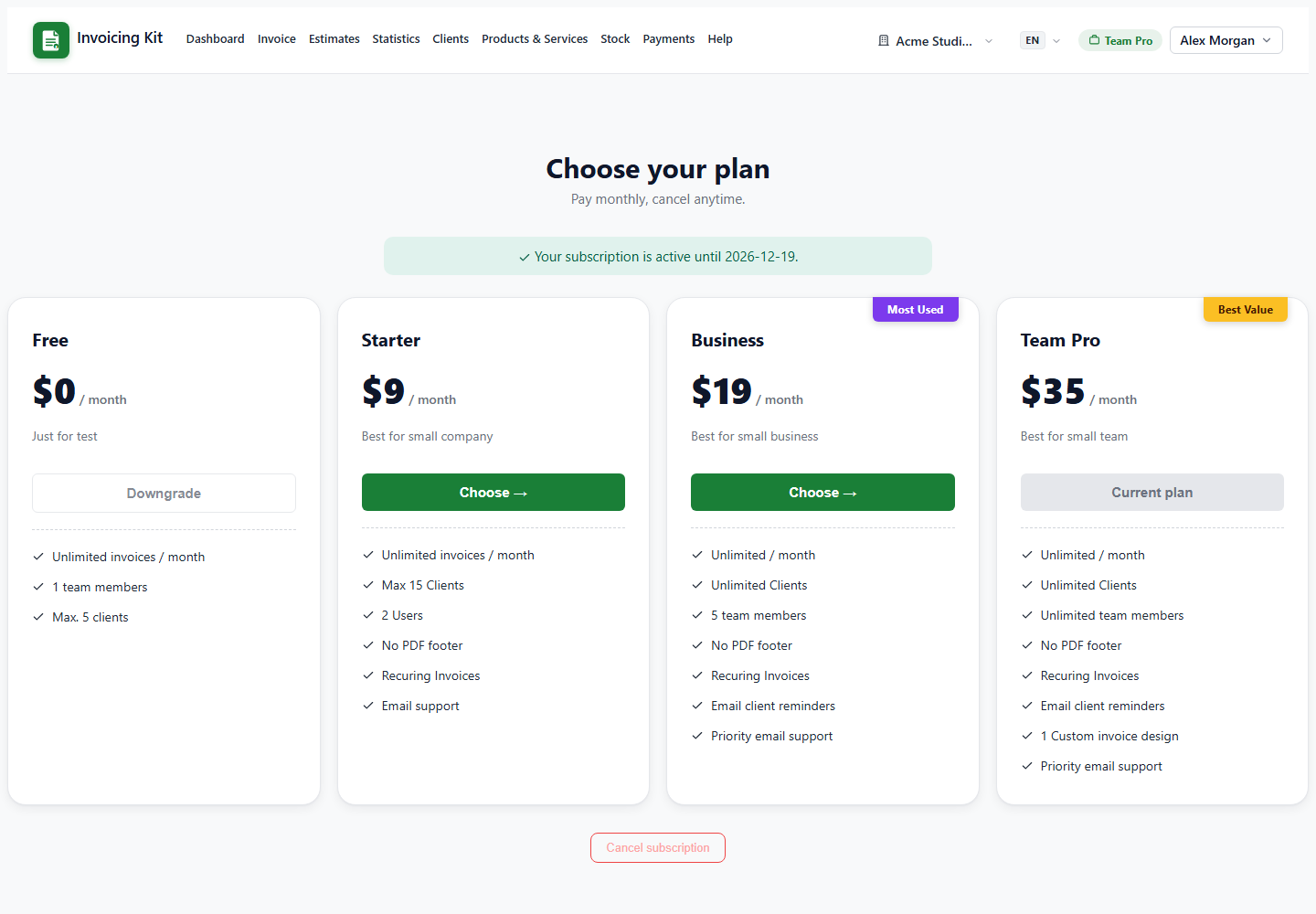
The Pricing page lists the current tiers and their exact limits. Each plan controls:
- Invoices per month — the quota; it resets at the start of each calendar month for paid plans.
- Users (seats) — how many people can share the workspace.
- Clients — the size of your client book.
- Features — recurring invoices and reminders need a paid plan; online payments need Business or Team Pro.
The navbar pill always shows the current plan. When a quota is reached, the app stops creating documents until the quota resets or you upgrade.
Upgrade safely
Choose a plan on Pricing. The checkout opens in Paddle's overlay where you can pay by card or other supported methods. Paddle is the merchant of record and handles taxes and receipts.
After payment, Paddle sends a webhook and the app activates the plan automatically. The dashboard shows an "activating" banner and refreshes itself as soon as the webhook lands — no manual action needed. Your new caps and features are applied at the same moment.
Tip: if the plan doesn't change after a minute, reload the dashboard once. If it still doesn't, check Paddle → Events for the webhook delivery status.
Cancelling, renewals and failed payments
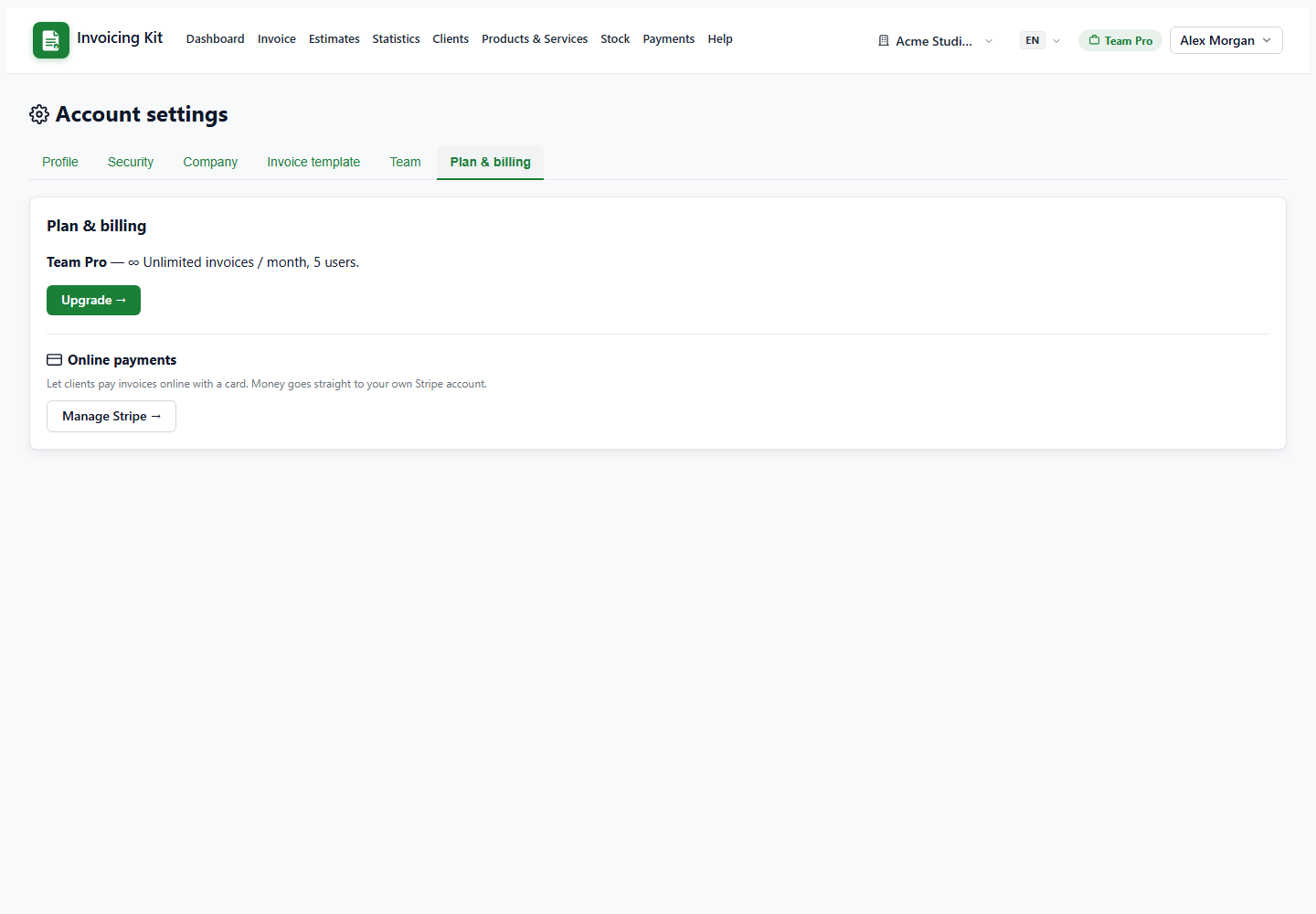
- Cancel from Pricing or Settings → Plan & billing. The subscription stops renewing but you keep full access until the end of the paid period.
- At the period end the account returns to the free plan automatically; paid-only features stop.
- Renewals are charged by Paddle. Paddle emails the receipt and a card-update link; the app does not store card data.
- If a renewal fails, the account enters a short grace period (past due) during which you can still work; after that it becomes read-only until the payment succeeds or the subscription is cancelled.
Invoices already issued and payments already recorded are never deleted by a plan change.