← All guides
Payment reminders
Automatic emails before and on the due date, plus manual reminders for overdue invoices.
Automatic reminders
On paid plans, the app emails your client automatically at two moments, each exactly once per invoice:
- 3 days before the due date — "your invoice is due soon".
- On the due date — "your invoice is due today".
An invoice qualifies only when all of these are true:
- status is Sent (drafts, paid, cancelled and overdue invoices are skipped),
- there is still a balance due,
- the client has an email address (snapshot first, client record as fallback),
- that trigger has not already been sent for this invoice.
Reminders are sent through the app's SMTP configuration. A failed send is not marked as sent, so it is retried on the next run.
Manual reminders
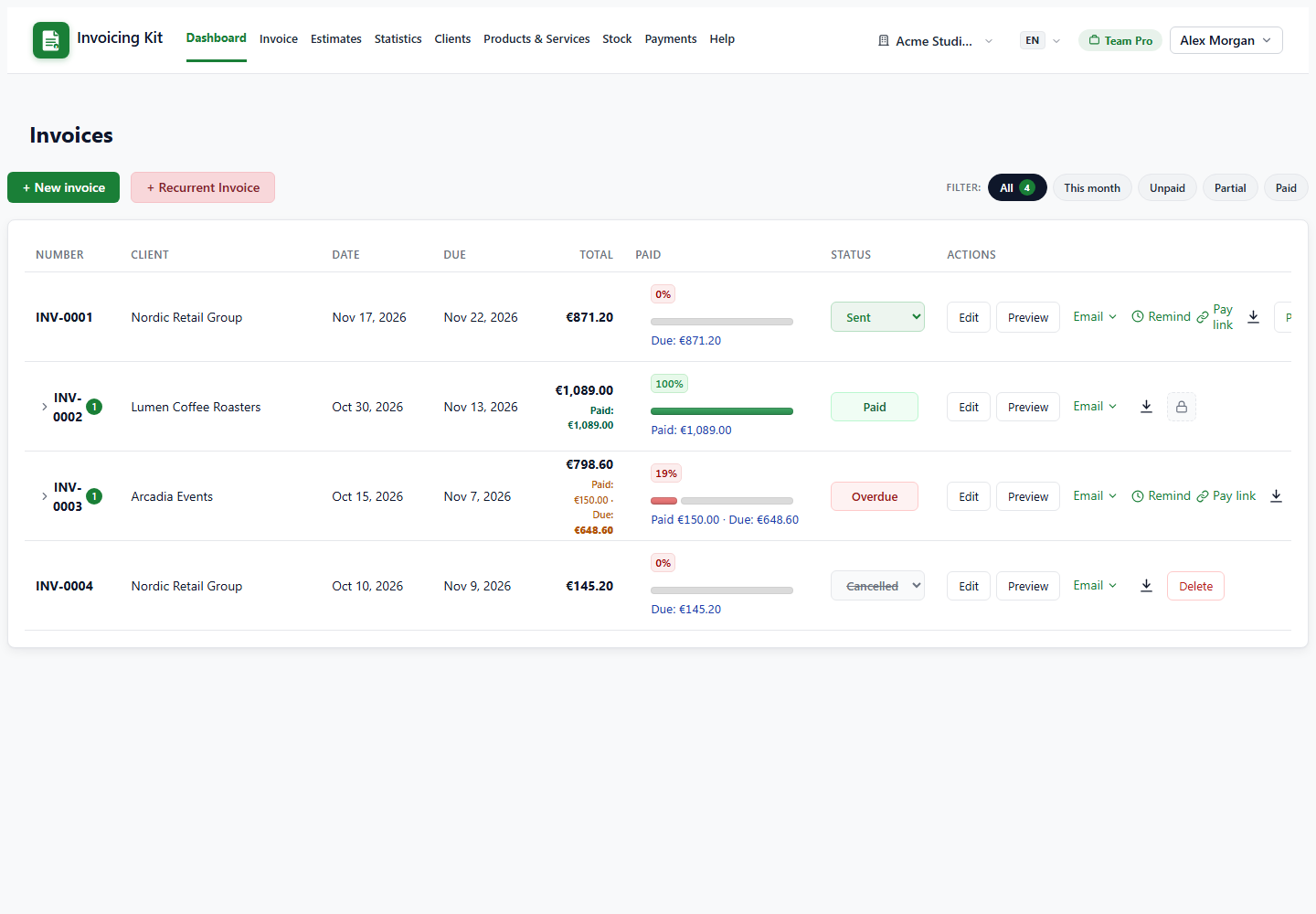
Use the Remind button on a dashboard row to email the client immediately. Manual reminders work on Sent and Overdue invoices with a balance and a client email. They use the "due soon" wording and do not consume the automatic trigger, so you can send them as often as needed.
Note: if an invoice becomes Overdue before the automatic run has fired, use the manual button — the automatic triggers only match invoices whose status is still Sent.
Delivery and troubleshooting
- SMTP is configured by the administrator in Settings → Email sending; use Send test email to verify.
- Reminders are triggered by the dashboard visit and by the token-protected cron endpoint — set the cron daily if you want them to go out even when nobody logs in.
- The email comes from your company name and asks the client to pay the invoice; attach the PDF manually if they need a copy, or use the invoice Email action for a PDF attachment.
Reminders are a paid-plan feature. If the plan expires, automatic and manual reminders stop.