Clients
Build a reusable client book once, then use it on invoices, estimates and payments.
Add and edit a client
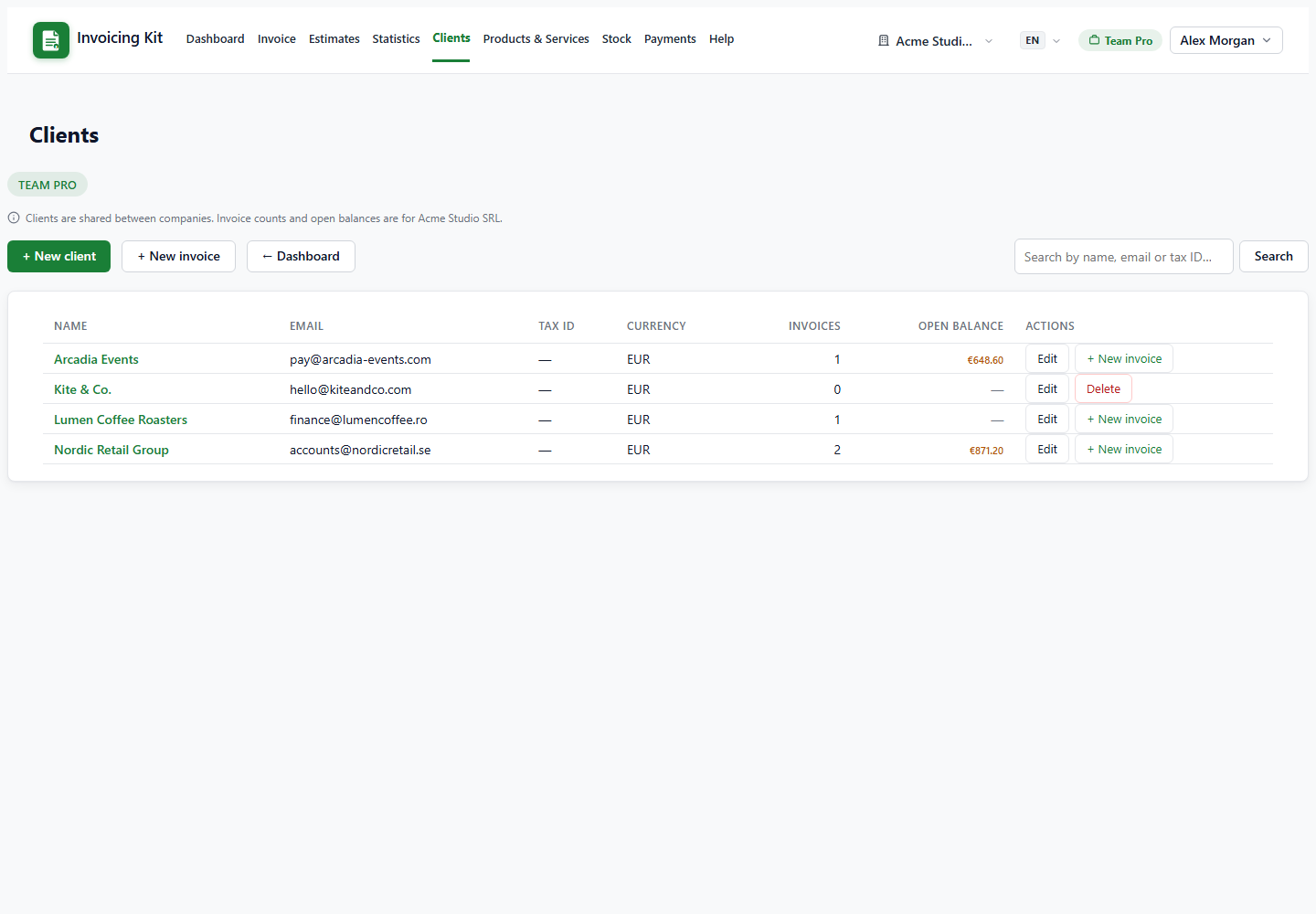
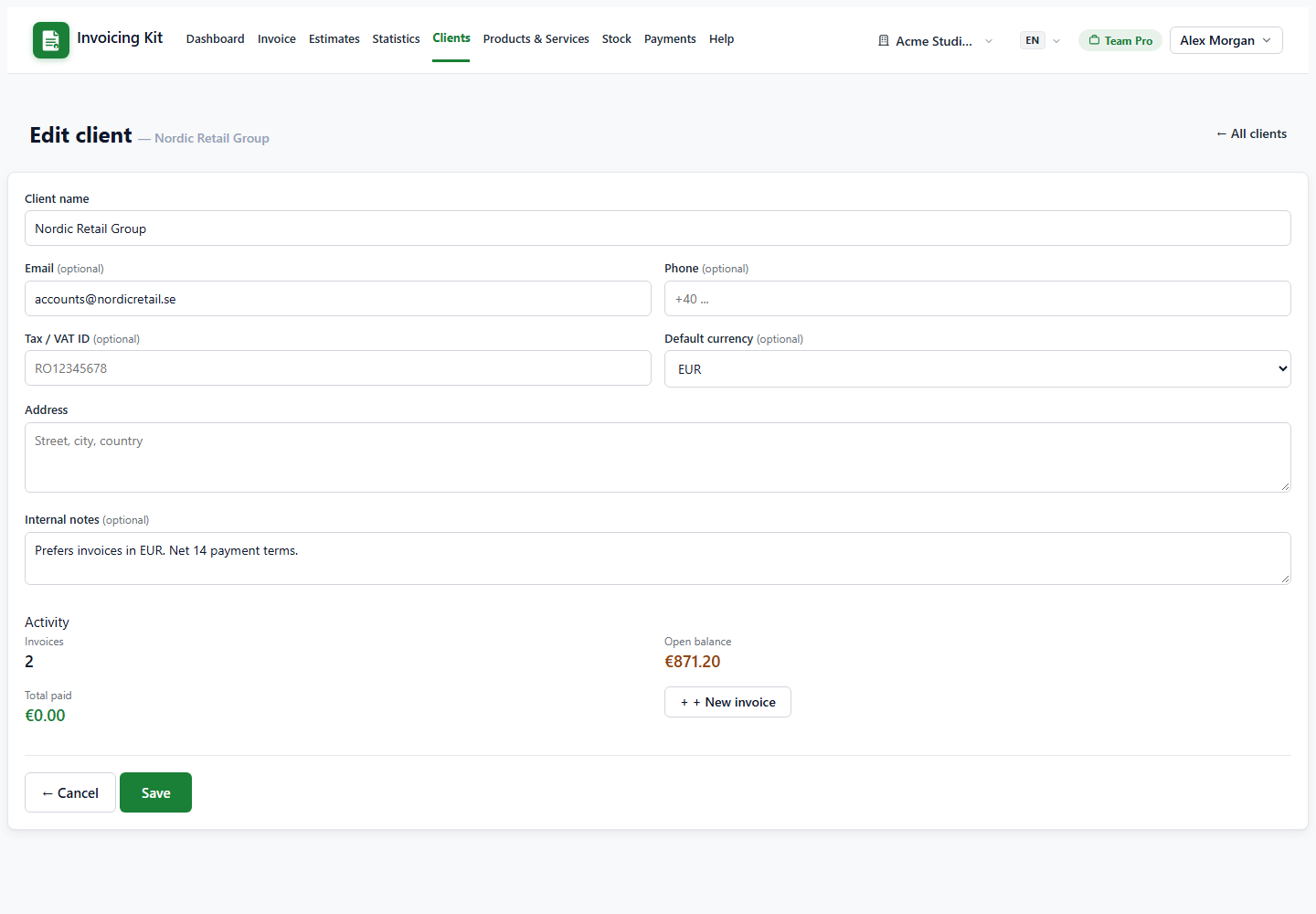
Open Clients from the navbar and choose + New client. Only the name is required, but the email address is important: it is used for sending documents and for automatic payment reminders.
- Name — shown on documents and in the Bill To field.
- Email — used by the Email button and by reminders.
- Phone / Tax ID / Address — copied into the client snapshot of the document.
- Default currency — pre-selects the currency when you create a document for this client.
- Notes — internal notes, never shown to the client.
The client page also shows Activity: how many invoices the client has, the open balance and the total collected. The list supports search by name, email, phone or tax ID.
Use a client on an invoice or estimate
In the invoice or estimate editor, start typing in Bill To. A live dropdown shows matching clients; picking one fills the name, email, phone, tax ID and address. If you want a brand-new client, pick + New client — the client is created automatically when you save the document.
When a document is issued, the client data is copied into a snapshot. If you later edit the client (for example, a new address), the snapshot of open documents is refreshed, but terminal documents stay frozen: invoices that are paid or cancelled and estimates that are converted or expired keep their original snapshot.
Limits, deletion and sharing
The client book is shared by every company in the workspace, so you always have one list. The per-client invoice count and open balance that you see on the Clients page are calculated for the active company only.
- Plans limit how many clients you can store. The counter is shown on the Clients page; upgrading raises the limit.
- A client cannot be deleted while it is used by invoices or payments. Delete or reassign those documents first.
- Editing a client never changes the totals of existing documents — only the identifying details on open snapshots.